What is a voice over game?
A voice over game, also called a dubbing game, gives you a short scene and asks you to replace its dialogue: you watch the clip, hear how each line was delivered, then perform the same line yourself. This one runs entirely in your browser. You pick a scene, record every line with your microphone, get a score for each take, and end up with a finished dub you can download as an MP4 video.
It works as a party game and as a voice acting game. Friends pass the laptop around and compare scores on the same line. People practicing character voices use the score and the waveform to see exactly where a take drifted from the original.
How to play the voice over game
-
Pick a scene
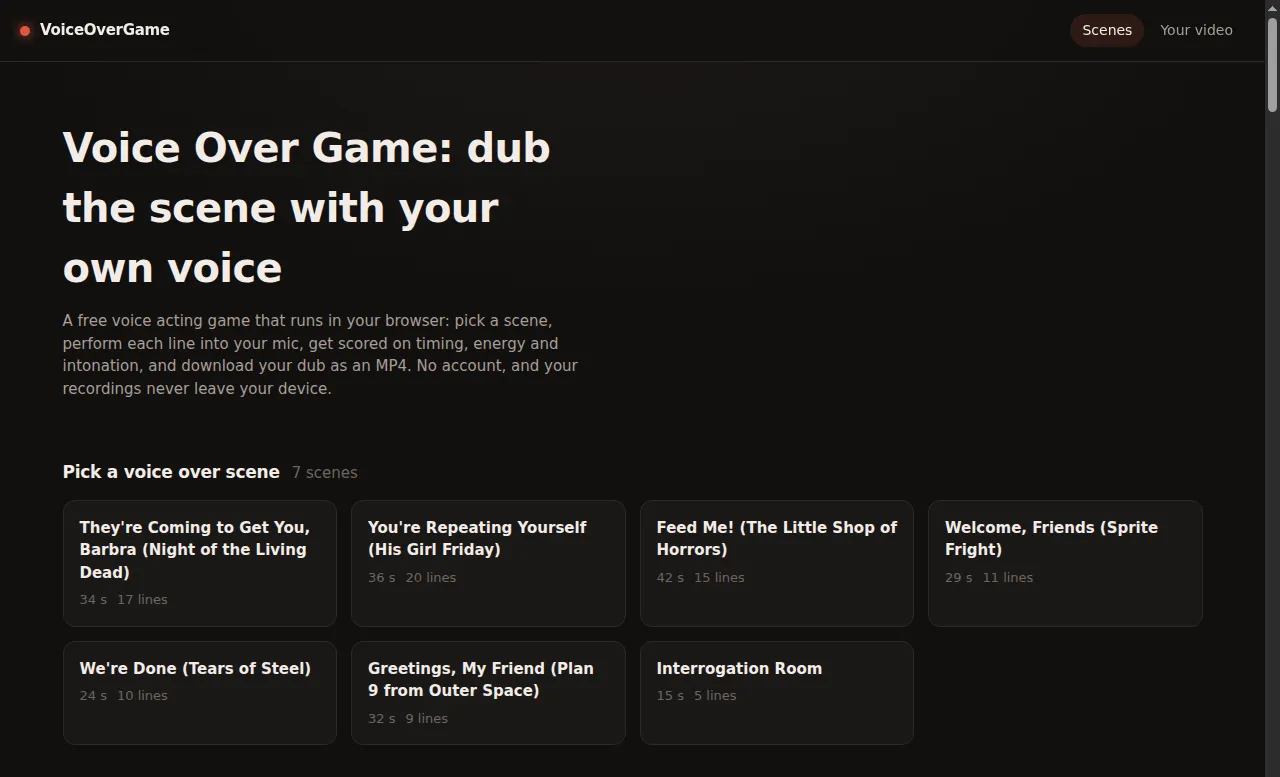
Choose a ready-made scene from the list above: classic public domain films such as Night of the Living Dead and His Girl Friday, open movies from the Blender Foundation, or the short Interrogation Room demo. Every scene is under a minute long.
-
Hear the reference
Play the original line before you record. Listen for where it starts, how fast it moves, and where the voice rises and falls.
-
Record your line
Press record, or the space bar, and perform after the short countdown. While you speak, your microphone is traced live over the reference waveform. Both are scaled to their own peak, so what you match is the shape of the line, when it starts and where it hits, not its volume.
-
Read your score
Each take gets a score out of 100 with a short note, such as coming in 300 ms late or delivering the line flatter than the original. Record as many takes as you like and keep the best one for each line.
-
Export your dub
Once at least one line has a take, preview the mixed audio or download the scene as an MP4. The picture is kept exactly as it is and only the audio track is replaced, so the export is quick.
Movie scenes for the voice over game
Each scene is a short excerpt with the dialogue split into lines and the background audio kept, so your voice replaces the actors' while the rest of the soundtrack plays on. Sources and licenses are listed on the scene credits page.
Night of the Living Dead: "They're Coming to Get You, Barbra"
The 1968 horror classic opens with Johnny teasing his sister Barbra in a cemetery, putting on a spooky voice moments before a real ghoul shows up. Two characters, 17 short lines.
His Girl Friday: "You're Repeating Yourself"
Walter and his ex-wife Hildy trade quick, sharp lines in the 1940 screwball comedy known for its rapid-fire dialogue. A real test of timing.
The Little Shop of Horrors: "Feed Me!"
Seymour finds out that his plant, Audrey Jr., can talk, and it only wants one thing. Voice both the nervous florist and the hungry plant.
Sprite Fright: "Welcome, Friends"
Teenagers on a trip to the woods meet the forest's tiny mushroom sprites in this animated open movie from the Blender Foundation.
Tears of Steel: "We're Done"
Celia breaks up with Thom on a bridge in Amsterdam in this live-action science fiction short from the Blender Foundation.
Plan 9 from Outer Space: "Greetings, My Friend"
The narrator's famously overwrought opening monologue from the 1959 cult film. One voice, big delivery.
Interrogation Room
A 15-second exchange between a detective and a suspect, made with text-to-speech. Handy for a first try.
How the voice over game scores each take
Scoring compares your take with the original line on three separate measures and weights them into one number.
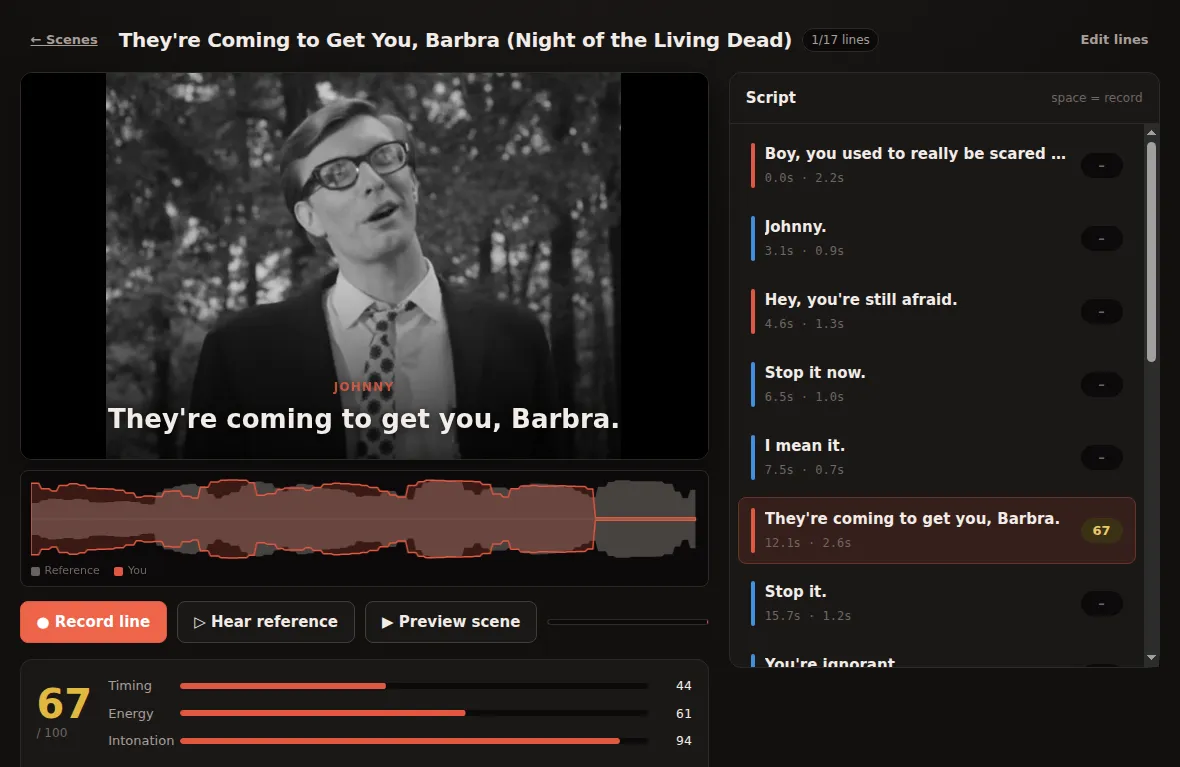
Timing (35%)
Your recording is aligned to the reference with dynamic time warping. The score drops the further that alignment strays from a steady pace, and the further your first syllable lands from the original's.
Energy (30%)
The loudness contour of your take is compared with the reference. This measures emphasis, where the line punches and where it falls away, not how loud your microphone happens to be.
Intonation (35%)
The game tracks the pitch of both recordings and compares the shape of the melody. Absolute pitch is ignored on purpose: a deep voice matching a line an octave lower is not a mistake. If the original's pitch can't be measured because music drowns it out, the score uses timing and energy only and tells you so.
Turn your own video into a dubbing game
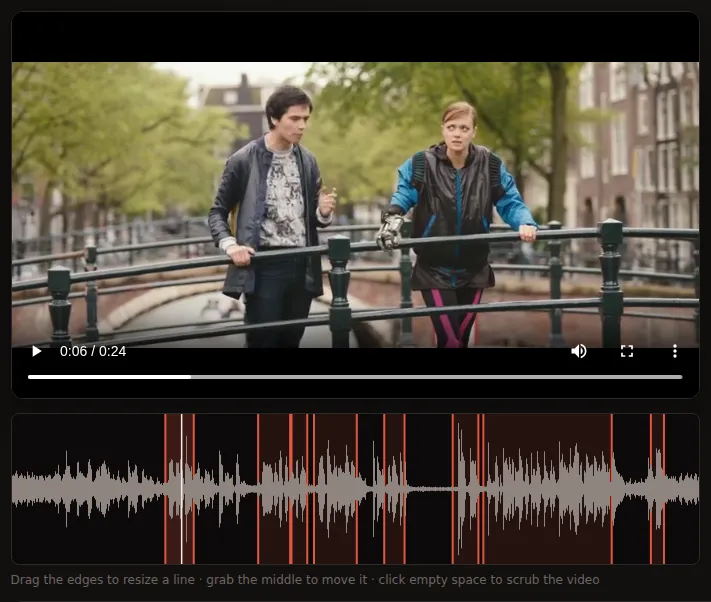
You are not limited to the built-in scenes. To dub a movie scene, a cartoon or a clip you filmed yourself, open Your video, drop in an MP4 file (H.264 video with AAC audio, up to 10 minutes and 500 MB), and the studio finds likely line boundaries from the audio. Drag the edges to fix them, assign each line to a character and type the dialogue, or let the built-in Whisper speech recognition fill in the text. Whisper runs in your browser: the model downloads once, between about 40 and 250 MB depending on the size you pick, and is then cached.
Transcription is accurate on clean speech but unreliable on film clips with loud music, where typing the lines by hand is faster. Clips longer than five minutes still edit smoothly, but the MP4 export can get slow or run out of memory.
Keep the music, replace the voice
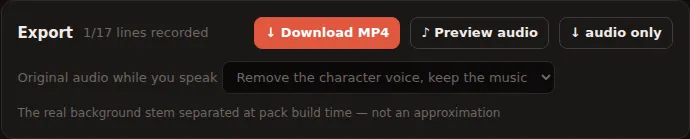
When your take plays over the scene, you choose what happens to the original audio during each line:
- Remove the character voice, keep the music. Uses a background track with the dialogue separated out when the scene was prepared. Only scenes that include that track offer this option.
- Suppress voice, keep music. Cancels the center of the stereo image, where dialogue usually sits, and leaves music and effects at the sides. Mono audio can't be split this way, so it is muted instead.
- Mute completely. Cuts the original audio for the length of your line.
- Just duck it. Keeps the original audible underneath at 12% volume.
Your recordings stay on your device
There is no account and no upload. Recording, scoring, mixing and video export all happen inside the browser tab, and your takes and projects are saved in your browser so they are still there next time. Two things are downloaded from outside the site, and only when you use the feature that needs them: the video encoder from jsDelivr (about 30 MB, on your first MP4 export) and the speech recognition model from Hugging Face (when you transcribe). The privacy policy has the details.
Tips for a better voice over
- Use headphones if the scene plays while you record. Sound from speakers leaks into the microphone and muddies both the take and its score.
- Listen to the reference two or three times before recording, and mouth the line along with it once.
- Watch the character's mouth in the clip. Starting and stopping with the lips makes a dub look right even when your voice sounds nothing like the original.
- Record in a quiet room with the microphone about a hand's width from your mouth, so the take is clear without distorting.
- Watch the live trace while recording. If your shape starts to the right of the reference, you came in late.
- Speak clearly rather than whispering. A whisper has no pitch to measure, so intonation can't be scored.
- Match the emphasis, not the voice. You can score well on a line in a completely different register.
Voice over game vs The Choicer Voicer
The Choicer Voicer is a paid desktop game by YeahMaybe for Windows and Linux: a vocal impression game show with hosts, judge panels, local multiplayer for up to four players, a Twitch chat mode, and a Dub Mode built on community packs. VoiceOverGame is a separate, free project focused on dubbing scenes in the browser, with nothing to install, a score for every line, and MP4 export. It is not affiliated with YeahMaybe and can't open that game's pack files.
Voice over game limits
- There are seven ready-made scenes so far, each under a minute. You can also dub any MP4 of your own.
- There is no online multiplayer. Take turns on one device.
- Takes are scored against the original line only; there are no leaderboards.
- The first MP4 export downloads a ~30 MB encoder, so it takes longer than later ones.
Voice over game FAQ
Is this voice over game free?
Yes. Every scene, the scoring and the MP4 export are free, with no account and no trial.
Do I need to install anything?
No. It runs in a modern browser with microphone access. A desktop or laptop is the smoother choice for editing and exporting longer clips.
Does the voice over game work on mobile?
The site fits phone screens and records through the browser's microphone access, the same as on a computer. Exporting longer clips is memory-heavy, so a computer is more reliable for that.
Are my recordings uploaded anywhere?
No. Takes are recorded, scored and mixed on your device and are not sent to a server.
Why does it say my microphone is blocked?
The browser needs your permission to use the microphone. Click the lock icon next to the address, allow the microphone for this site and reload. If another app is holding the microphone, close it and try again.
Can I dub movie scenes?
Yes. The site includes movie scenes from public domain films and Creative Commons open movies, and you can load an MP4 of any other scene from your own files for personal practice; it stays on your device. Only share exported dubs of clips you have the right to use.
Can I play the voice over game with friends?
There is no online multiplayer yet. Friends can take turns on one device: everyone records the same line, and each take gets its own score, so you can see who came closest to the original.
Do I have to copy the original voice?
No. The score ignores absolute pitch and compares timing, emphasis and the rise and fall of the line, so you can give a character a completely different voice and still score well.